


AI recorder card.
Clear recordings.
Useful meeting notes.
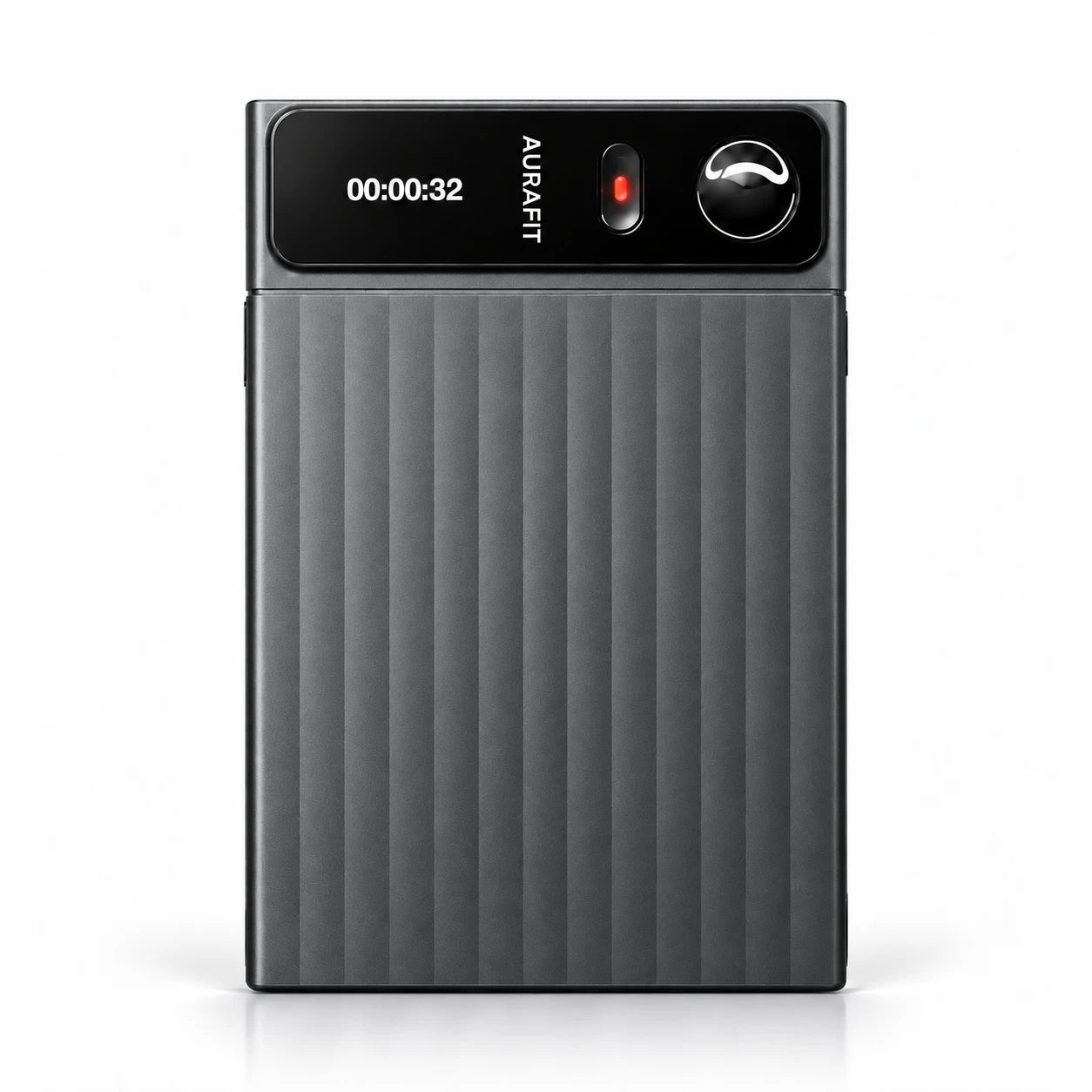
Meet the SMA AuraNote N1: a 4mm AI voice recorder with 16GB storage, 48+ hours of recording and 120+ language transcription.
Record the discussion.
Keep what matters.
AuraNote N1 combines ambient and call recording with AI transcription, speaker identification, summaries, mind maps and to-do lists.
The device captures and stores audio. After transfer to the companion software, recordings can become readable transcripts and organized notes. The aim is practical: less time replaying a meeting, and a clearer record of decisions and follow-up.
For business buyers, that makes N1 an AI voice recorder for meetings, interviews and everyday voice memos—with hardware and software that should be evaluated together.
Six features. One clear workflow.
Capture the audio, make it readable, and organize the next step.
Capture conversations
Two omnidirectional microphones and one bone-conduction microphone support ambient and call recording. Automatic scene detection is designed to switch between the two recording scenarios.
Transcribe in 120+ languages
AI multilingual transcription turns speech into readable text. Test the languages, accents and specialist terms your customers actually use.
Identify speakers
Speaker identification helps label each person’s words in a multi-speaker transcript, making a discussion easier to review.
Review with AI
AI meeting notes, summaries and mind maps help organize longer discussions. Check important names, figures and decisions against the original recording.
Move files over Wi-Fi
The BK258 platform combines Bluetooth and 2.4GHz Wi-Fi. Wi-Fi transfer moves recordings into the companion software; transfer time depends on file size and connection conditions.
Keep ideas and next steps
Voice memos capture ideas as they occur. To-do lists and AI translation extend the workflow from recording to follow-up and cross-language review.
Local audio recording and AI processing are different functions. AI features require an internet connection and the appropriate software service.
From the words to the work.
Follow one sample conversation through four stages. Each output serves a different purpose.
Keep the original audio.
The recorder preserves the discussion so you can return to the source when a detail matters.
“Keep the existing packaging. The design team will send revised artwork by Friday.”
Illustrative example · Not a live AI result.
Read who said what.
Transcription converts speech to text. Speaker identification helps separate contributions.
Speaker 1: Keep the existing packaging.
Speaker 2: The design team will send revised artwork by Friday.
Illustrative example · Not a live AI result.
Find the main point.
AI summaries condense the discussion; mind maps help show how topics connect.
Decision: Keep the existing packaging.
Follow-up: Revised artwork is expected by Friday.
Illustrative example · Not a live AI result.
Review the action list.
A useful task identifies the action, owner and deadline. Confirm the result before sharing it.
- Action: Send revised artwork.
- Owner: Design team.
- Due: Friday.
Illustrative example · Not a live AI result.
Use the buttons to explore the stages. The example runs locally and does not upload audio or connect to an AI service.

Where the record becomes useful.
Team and customer meetings
Keep requirements, quantities and agreed next steps together. Review the transcript before confirming a quotation or delivery commitment.
Interviews and training
Stay focused on the speaker, then return to the recording and text when preparing an interview note or learning summary.
Ideas between meetings
Use voice memos to capture a thought before it disappears. Vibration feedback and two physical buttons support everyday interaction.
A shorter route
to the important parts.
Keep the original recording for detail. Use the AI summary to review the main points, then check the action list before following up.
The companion software brings the recording and its notes into the same workflow. Important names, numbers and commitments should still be checked against the source audio.

The specifications behind the experience.
A compact recording platform with a visible recording status, physical controls and local storage.
| Hardware | Specification |
|---|---|
| Main platform | BK258 — Bluetooth + 2.4GHz Wi-Fi combo |
| Display | 0.49-inch TFT; 100 × 60 pixels |
| Storage | 16GB built-in storage |
| Microphones | 2 omnidirectional microphones + 1 bone-conduction microphone |
| Recording modes | Ambient recording, call recording and voice memos |
| Controls and feedback | 2 buttons: Record + Voice Memo; vibration supported |
| Continuous recording | More than 48 hours* |
| Standby time | More than 60 days* |
| Battery | 500mAh |
| Charging | USB Type-C; approximately 2.5 hours* |
| Dimensions | 88.0 × 57.0 × 4.0mm |
| AI functions | 120+ language transcription, speaker identification, AI summaries, mind maps, to-do lists and AI translation |
*Based on the latest supplied product specifications. Recording endurance, standby time, charging time and transfer performance vary with settings, connection quality and operating conditions. AI capabilities depend on the software configuration.
Start with your use case.
For a private-label AI recorder card, the product experience includes capture quality, software access, language support and ongoing service—not just the enclosure.
When discussing an AI voice recorder OEM/ODM project with SMA, share your target market, recording environment, required languages, expected volume and branding requirements. Confirm the available customization scope, certifications, software terms and delivery plan for your configuration.
During sample evaluation, use a real conversation containing product codes, names, quantities and deadlines. Also confirm where audio is processed, how long it is retained, and how users manage or delete recordings.